.png)
How to Configure Authentic AI on PostAutoPilot
Introduction
This guide explains how to configure the Authentic AI feature in PostAutoPilot to personalize your content and automate posting effectively.
-
Navigate to Authentic AI
From the dashboard, locate the main menu
Click on Authentic AI
-
Access AI Settings
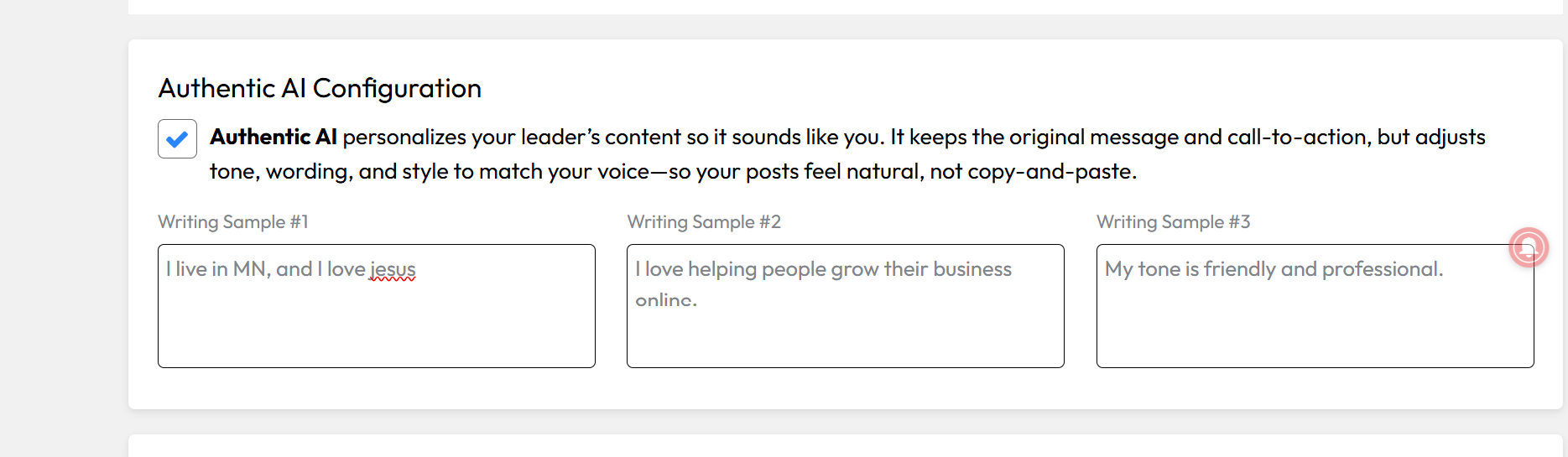
Once the page opens, you will see various configuration options
These settings allow you to customize how your content is generated
-
Configure Your Preferences
Enter or update your content preferences
Adjust any available fields such as tone, style, or audience settings
These settings help the AI generate content that matches your brand or voice
-
Review Your Settings
Double check your inputs
Ensure everything reflects your desired output
Once your writing samples are added, your Authentic AI preferences will be applied.
Conclusion
Configuring Authentic AI allows you to automate content creation while maintaining a personalized and consistent brand voice.
OPTIONAL TIP (adds quality)
Tip:
Update your AI settings regularly to improve content performance and relevance.
AutoPilot functionality is applied based on the selected account type and may not appear as a separate setting within the platform interface.